 Hack the Route Start free Open app
 The idea
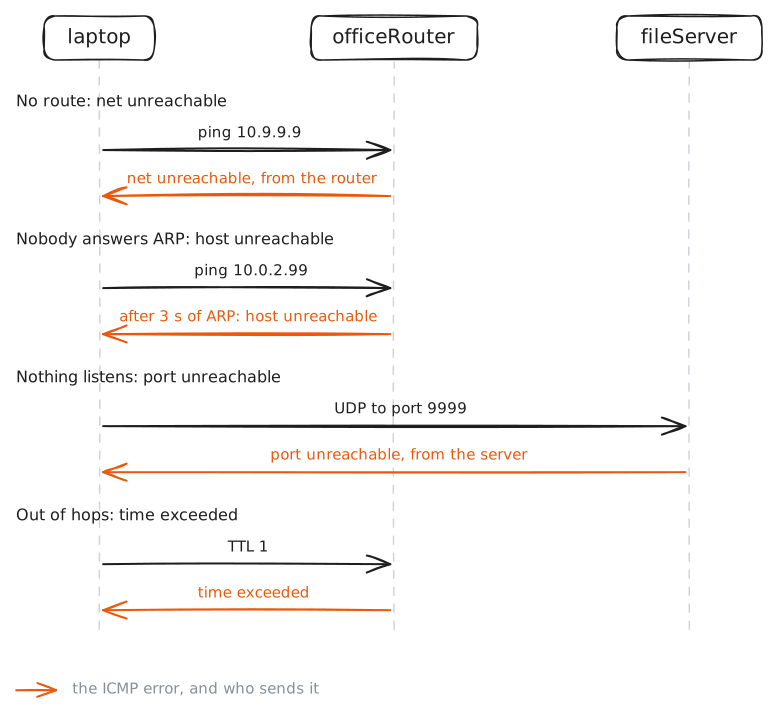
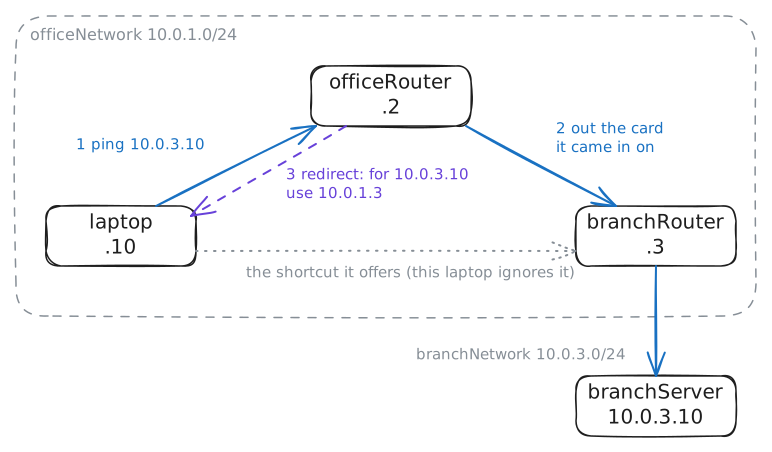
A laptop on an office network sends packets towards a file server and a branch server, through two routers. When a packet cannot be delivered, the network says why in ICMP messages, and who sends one tells you where it stopped.
Steps
-
Echo: a question and its answer
Every error report in this lab uses the same protocol as
ping, so start with the plain question and answer. Ping the file server,10.0.2.10, once, while the laptop's card is recorded.laptop:~# ping -c1 10.0.2.10
-
Net unreachable
A packet can fail at any point on its way, and the first point is a router with no road onward.
10.9.9.9is on no network in this lab. Ping it once, waiting at most two seconds.laptop:~# ping -c1 -W2 10.9.9.9
Pro
4 more steps in the app
- Host unreachable
- Port unreachable
- Administratively prohibited
- Redirect: there is a better way