 Hack the Route Start free Open app
 The idea
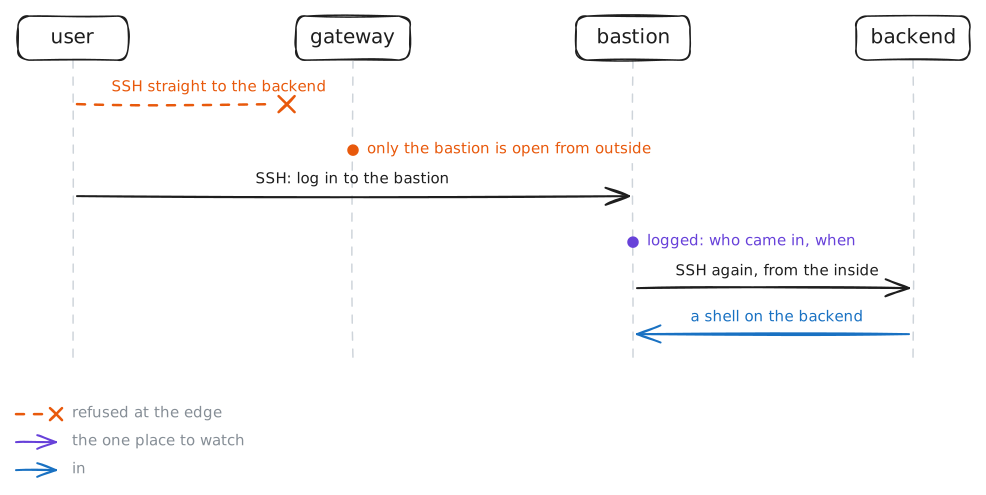
An SSH bastion is the one machine the outside may reach; every way in goes through it, and so through its log. The user, outside, reaches the backend in a private network only through bastion; the gateway between them, a Firewall, drops everything else.
Steps
-
The backend is walled off
A private network should take nothing new from outside, so first check that the wall holds. The backend,
10.0.2.11, sits inside, behind the gateway. The user, outside, has a route to it.user:~# ssh -o ConnectTimeout=4 admin@10.0.2.11 hostname
-
The bastion takes you in
Admins still need a way in, so the network keeps one on purpose, and watches it. The SSH bastion sits on both networks, and the outside may reach it.
user:~# ssh admin@bastion.lab hostname
Pro
3 more steps in the app
- Jump to the backend
- One place to watch
- A back door in the wall