 Hack the Route Start free Open app
 The idea
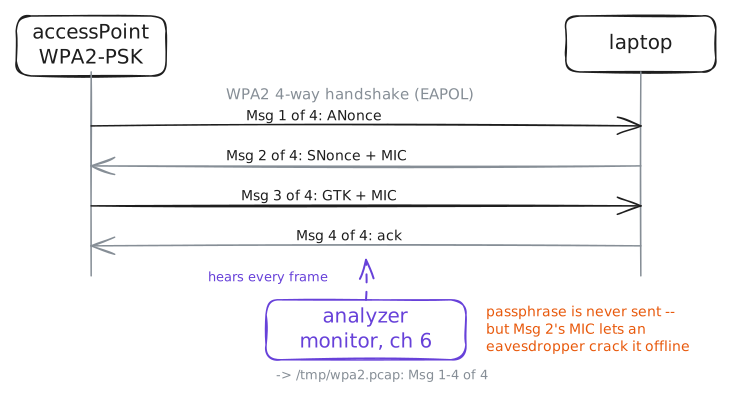
Wi-Fi is a shared medium: every device in range hears every frame. As the operator of accessPoint and a laptop, with an analyzer radio recording the air, catch an impostor (rogueAp), see where WPA2 is weak, and harden the network with secureAp.
Steps
-
The WPA2 network on the air
An access point is a program,
hostapd, driving a radio: it beacons a network name (SSID) on a channel, and its radio's address is the BSSID clients lock onto. Protect the office AP with WPA2, then read what the radio is doing.accessPoint:~# hostapd -B -f /var/log/hostapd.log /etc/hostapd.conf accessPoint:~# iw dev wlan0 info
-
An evil twin, and how to spot it
A second access point the operator never installed comes on, beaconing the same SSID
OfficeWiFifrom its own BSSID: a rogue AP, here an evil twin, luring any client that matches on the name. Scan from the laptop and find it.laptop:~# iw dev wlan0 scan
Pro
4 more steps in the app
- Join WPA2, and the handshake's weak point
- Management frames are forgeable on WPA2
- Harden: WPA3-SAE with protected management frames
- The same forged frame, ignored