 Hack the Route Start free Open app
 The idea
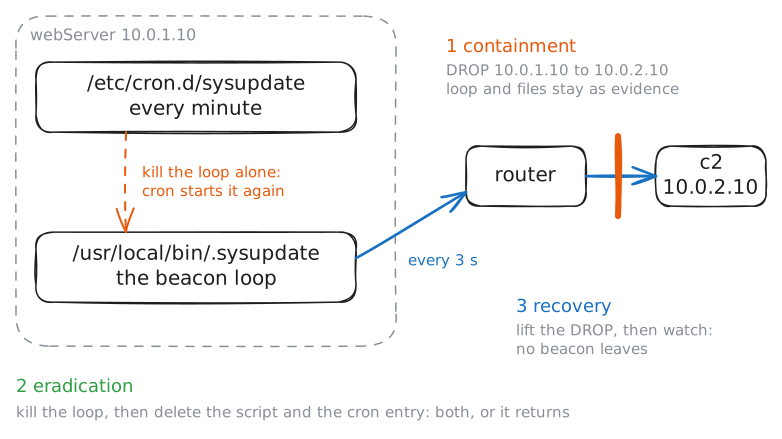
Incident response works a live compromise by a runbook, in order: identify it, contain it without destroying evidence, eradicate the implant and whatever would bring it back, recover the service, and record what you learned. webServer on the office LAN has been backdoored to call c2 on the internet; you work on webServer and the router, and the responder checks the web page.
Steps
-
Identification: find the compromise
You keep a baseline of each server, so the abnormal stands out. This one should answer its web page and listen on one port only. The implant opens no port, it reaches out, so a check of open ports looks clean; the process list is where it shows: a
.sysupdatescript you do not recognise.webServer:~# ss -tlnp webServer:~# ps -o pid,args webServer:~# cat /usr/local/bin/.sysupdate
-
Find the channel: the beacon in the router's connections
Confirm it from a second, independent view: the network, because an attacker on the server cannot wipe what the router saw. The router tracks every connection it forwards, so the beacon's repeated calls to the C2 show up in its connection table.
router:~# conntrack -L -d 10.0.2.10 -p tcp
Pro
4 more steps in the app
- Containment: cut the beacon, keep the evidence
- Eradication: remove the implant and its persistence
- Recovery: restore service and confirm it is quiet
- Lessons learned: write it down and hunt wider