 Hack the Route Start free Open app
 The idea
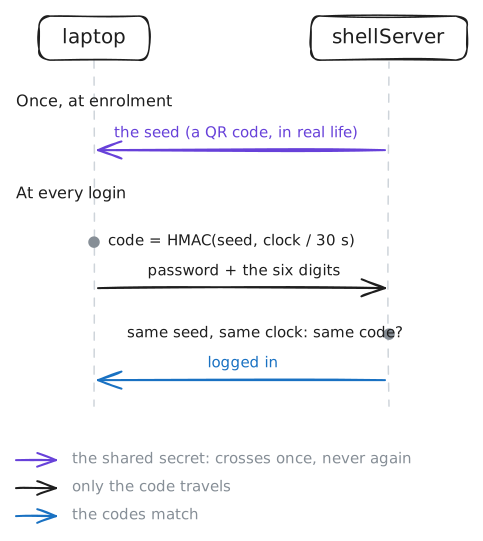
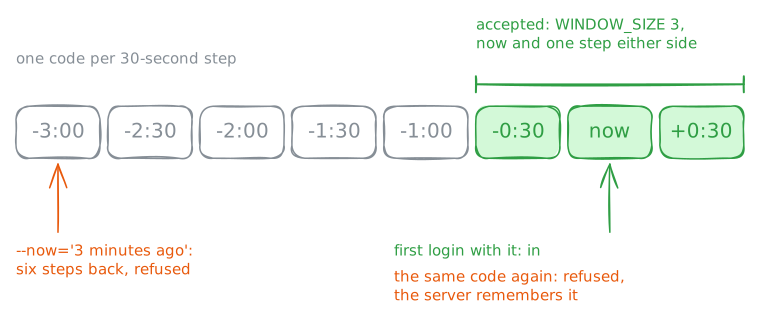
SSH 2FA asks for something you have as well as something you know, so a stolen password is no longer enough. shellServer's SSH wants alice's password and the six-digit code her authenticator shows; the laptop stands in for her phone. You will turn the second factor back on, then see a code work once, and only for its moment.
Steps
-
A password alone is refused
shellServer's PAM rules for SSH should demand the code (
pam_google_authenticator) and then the password (pam_unix). A tidy-up has just commented out the code's line. Log in with the password alone, read the rules, put the line back, and try again.laptop:~# sshpass -p "correct-horse" ssh alice@shellServer.lab whoami shellServer:~# grep auth /etc/pam.d/sshd shellServer:~# sed -i 's/^#auth/auth/' /etc/pam.d/sshd laptop:~# sshpass -p "correct-horse" ssh alice@shellServer.lab whoami
-
The second factor: a code from the authenticator
The authenticator holds the same secret the server has, and turns it and the clock into the current code.
oathtool --totpcomputes exactly what an authenticator app shows. Compute alice's code, then log in with her password and the code on the end.laptop:~# oathtool --totp -b $(cat /root/authenticator/alice) laptop:~# sshpass -p "correct-horse$(oathtool --totp -b $(cat /root/authenticator/alice))" ssh alice@shellServer.lab whoami
Pro
3 more steps in the app
- A code is good only once
- A captured code expires
- Both factors, every time