 Hack the Route Start learning Open app
The idea
Greta keeps Welby Community Radio on the air. Its broadcast server was broken into through a guessed admin password, then contained and cleaned by the team. The public schedule page was taken offline during the incident, and listeners want it back.
Recovery is the phase that returns a cleaned system to normal use, carefully and in order. Rush it and you undo the rest of the response: restore a box before confirming it is clean and you put the compromise back, bring the service up before rotating the stolen password and you reopen the front door. Greta works the steps in an order that never trusts the box before it has earned it.
Steps
-
Confirm it is clean before you trust it
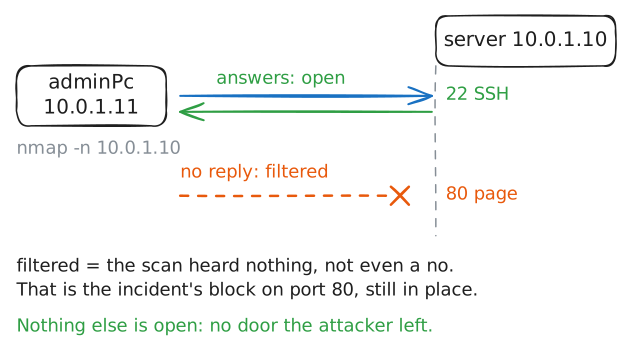
Recovery begins where eradication ended, with a question rather than an assumption: did the clean-up actually hold? Before bringing anything back, Greta checks the server from the outside for any door that should not be there.
nmapscans the server's ports from Greta's workstation: it knocks on each Port and notes which ones answer. A clean box shows only the services it is meant to run and nothing the attacker might have left waiting for a connection.adminPc:~# nmap -n 10.0.1.10
-
Rotate the password the attacker abused
The break-in happened because the attacker guessed the
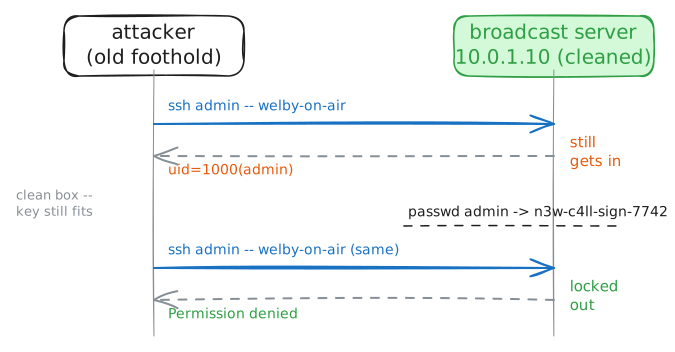
adminpassword. Cleaning the box removed what they installed, but it did not change what they learned: that password still opens the door. Until it is rotated (replaced with a new one), a clean box is still open to the attacker.Greta checks the exposure first, then changes the password with
passwd, which prompts for the new one twice.attacker:~# sshpass -p welby-on-air ssh -o StrictHostKeyChecking=no -o ConnectTimeout=5 admin@10.0.1.10 id server:~# passwd admin attacker:~# sshpass -p welby-on-air ssh -o StrictHostKeyChecking=no -o ConnectTimeout=5 admin@10.0.1.10 id
-
Bring the service back for listeners
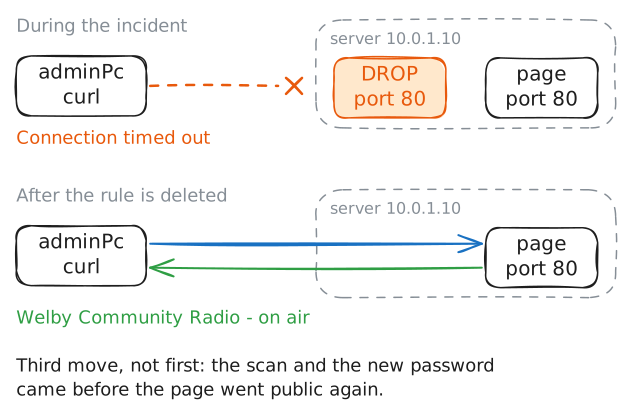
Only now, with the box confirmed clean and the stolen password dead, is it safe to restore service. The schedule page was taken offline during the incident by a rule that drops traffic to port 80; bringing it back means removing that rule.
Greta checks the page is still offline, removes the block, and checks again.
adminPc:~# curl -sS -m 5 http://10.0.1.10/
server:~# iptables -D INPUT -p tcp --dport 80 -j DROP
adminPc:~# curl -s -m 5 http://10.0.1.10/
-
Make sure a return would be seen
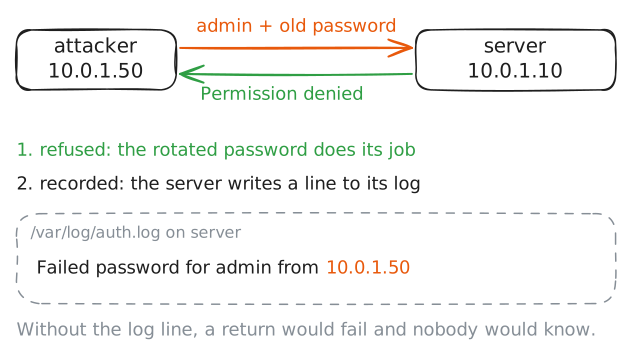
A recovered system is not a finished incident. An attacker who was pushed out often comes back to try again, so the box goes back into service under a closer watch than usual. The thing to confirm is that a renewed attempt would actually be recorded.
Greta checks the server's auth log after a fresh attempt from the attacker's machine, to be sure the monitoring that will catch a return is working.
server:~# grep 'Failed password' /var/log/auth.log
Run these steps on real machines