 Hack the Route Start learning Open app
The idea
A signature can only name malware it has already met. The sample Marlowe Toys pulled from quarantine matches nothing, so Sofia takes the other road: detonate it on an isolated machine fitted with tracing tools, and learn what it does by watching, not by reading its code.
strace records every system call the sample makes (each request it sends to the kernel, the core of the operating system): every file it opens, every connection it starts, every
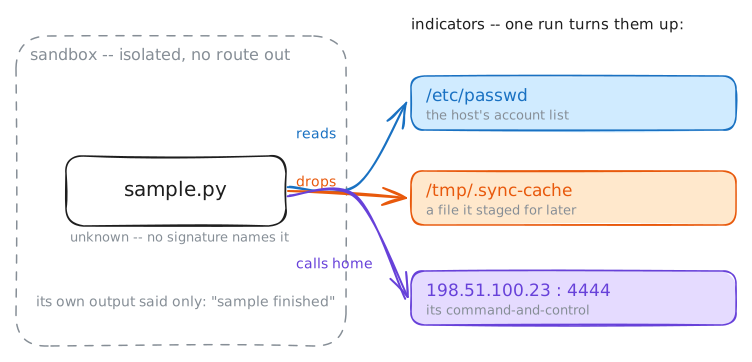
byte it writes. From one run she reads the file it steals, the file it drops, and the address it beacons to:
indicators she pushes straight back into detection.
Steps
-
Run it, and it tells you nothing
The sample sits on an isolated
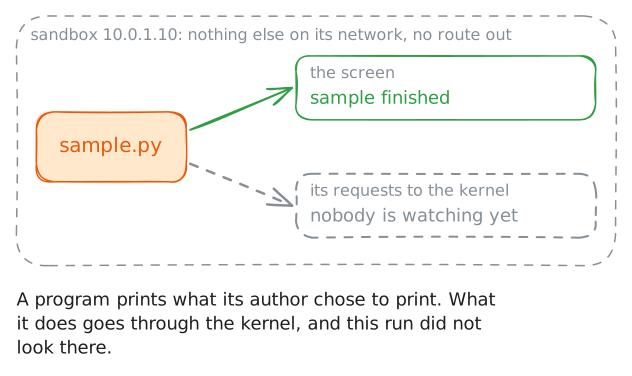
sandbox: a machine with nothing else on its network and no route to the real world, so whatever the sample does stays contained. Treat the file as a black box. Reading its code is out, because real malware is usually compiled or scrambled past reading. So you learn what it does by running it and watching.Start with the obvious move: run it and read what it prints. A program's output is only what its author chose to show, which is exactly why it is worth so little here.
sandbox:~# python3 /root/sample.py
-
Watch which files it reads
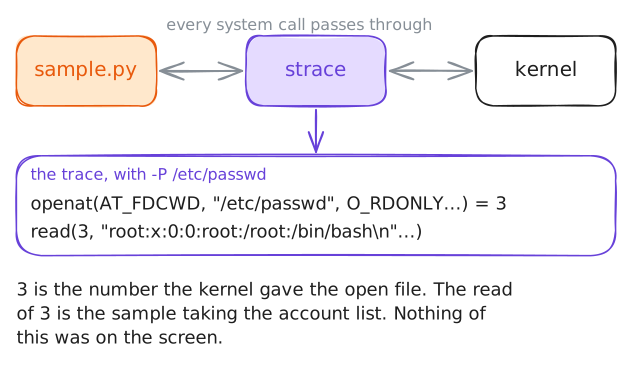
Everything a program does to the outside (read a file, open a network connection, write data) it does by asking the kernel, with a system call.
stracesits between the program and the kernel and logs those calls, so it sees what the program actually did regardless of what it printed. That is the heart of a sandbox: instrumentation the sample cannot talk its way around.Point the lens at one question first.
-P /etc/passwdtells strace to report only the system calls that touch that path. It is the file that lists every account on the machine, and a common first read for a program exploring a machine it does not belong on.sandbox:~# strace -f -P /etc/passwd python3 /root/sample.py
-
Catch what it drops
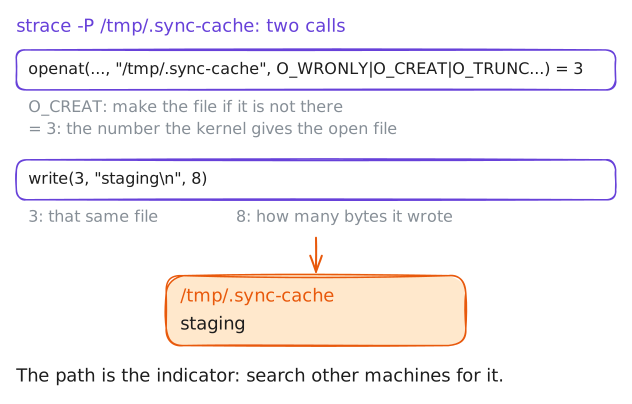
Malware rarely only reads; it writes. It drops a copy of itself to survive a reboot, a config file, or data it has staged for later theft. Those dropped files are evidence, and their paths are indicators to hunt for on every other machine the company owns.
Move the lens to the writing side. A name that starts with a dot is hidden from a plain
ls, and no installed program keeps its files loose under/tmp. Trace the calls that touch/tmp/.sync-cache, then look at what actually landed there.sandbox:~# strace -f -P /tmp/.sync-cache python3 /root/sample.py sandbox:~# cat /tmp/.sync-cache
-
Where it calls home
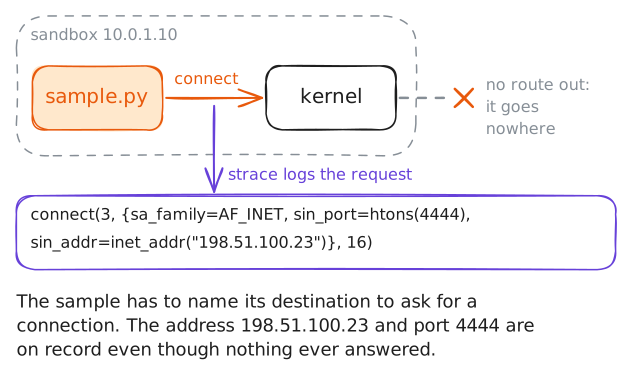
The find an analyst wants most is the command-and-control address: where the malware reaches out for orders. Block it and hunt every machine for connections to it, and one sample's detonation protects the whole network.
A connection starts with the
connectsystem call, which carries the destination address and port. Trace that one call. The sandbox has nothing listening and no route out, so the attempt leads nowhere. But the address the sample aimed at is recorded the moment it asks.sandbox:~# strace -f -e trace=connect python3 /root/sample.py
-
An unknown turned into indicators
Pull the run together. The signature tools in the last lab could not name this file. One detonation under instrumentation produced a profile no database held: it reads
/etc/passwd, drops/tmp/.sync-cache, and beacons to198.51.100.23:4444.The last piece is a name for the file itself: its hash, the same shareable fingerprint from the signatures lab. Take it, and you have everything to feed detection: a hash for the scanners, a dropped path to hunt, and a command-and-control (C2) address to block.
sandbox:~# sha256sum /root/sample.py