 Hack the Route Start learning Open app
The idea
Mia keeps the team's notes on her machine, and Leo needs them. Nothing on her machine is ready to hand them over yet, so set that up and get the notes to Leo.
Steps
-
Ask Mia's machine for the notes
Five people could each keep a copy of the team's notes, but one person changes a line and the copies stop matching. So teams keep one copy in one place, and everyone asks that place for it. Websites, email and shared drives all work this way.
Mia's machine holds the one copy here, and Leo needs to read it. Both machines belong to the lab, so nothing you run touches your computer.
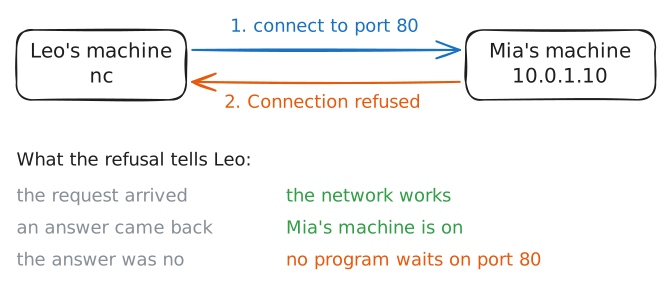
First, see what happens when Leo's machine connects to Mia's. The command
ncconnects to another machine, and80is the port for web pages: a number that picks one program on a machine. Press the arrow to run it.leo:~# nc -vv mia 80
-
Start a server on Mia's machine
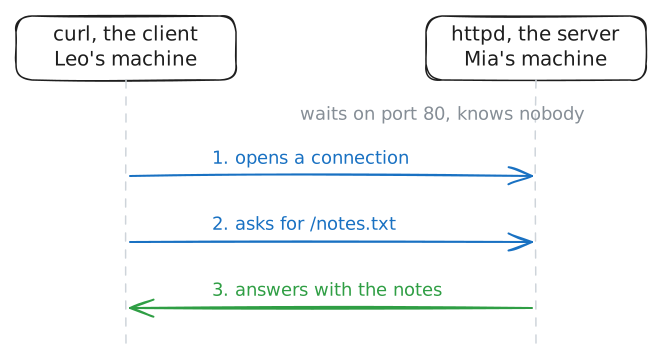
A server is a program that waits for requests and answers them. The machine it runs on gets the same name, which is why people picture a special computer in a cold room. Hardware has nothing to do with it: any machine that runs such a program is a server.
Real servers are often big machines for a plain reason. They stay on day and night and answer many people at once, in buildings called data centres. A laptop does the same job for a few people, until someone closes the lid.
You will start
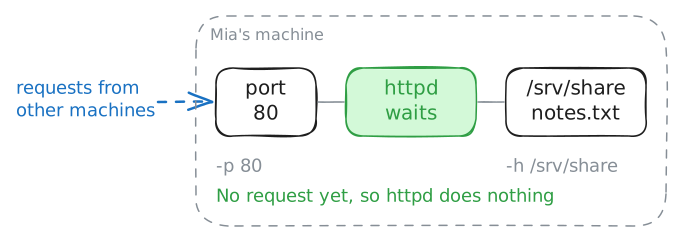
httpd, a small web server. It waits on a port and hands out the files in one folder, here/srv/share.mia:~# httpd -p 80 -h /srv/share mia:~# ss -tln
-
Fetch the notes from Leo's machine
A client is a program that asks. Your browser is one, and so are a mail app and the
curlcommand you are about to run. Like server, the word names a job: the client asks, and the server answers.A web address holds everything the client needs. In
http://mia/notes.txt,httpnames the rules both sides follow,miais the machine, and/notes.txtis the file in the folder the server hands out.leo:~# curl -sS http://mia/notes.txt
-
Ask for the notes by hand
A browser from one company can talk to a server from another because both follow the same written rules. Those rules are the Hypertext Transfer Protocol, or HTTP, and its early versions are plain text that people can read. So a person can do the client's job by hand.
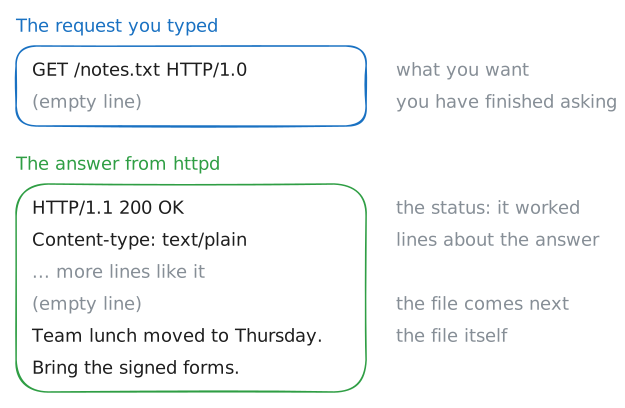
A request here has two lines. The first says what you want:
GET, the file, and the version of the rules. The second is empty, which tells the server you have finished asking.ncgives you a bare connection to port80, and you play the client. Press Start, then type.leo:~# nc mia 80
-
Swap the roles
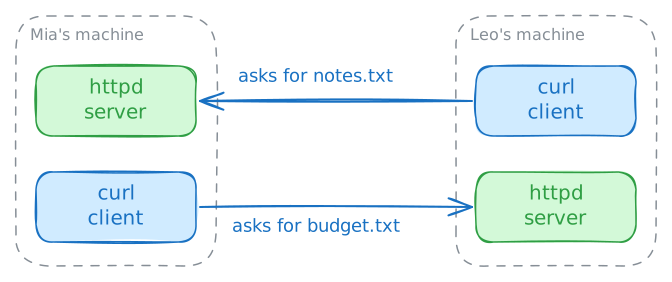
So far Mia's machine answers and Leo's machine asks. That can look like two kinds of machine, and it is only how things stand today. Leo has a file too, in the same kind of folder, and Mia needs it.
You will start the same server on Leo's machine, then fetch his file from Mia's machine.
leo:~# httpd -p 80 -h /srv/share
mia:~# curl -sS http://leo/budget.txt
-
Stop the server and ask again
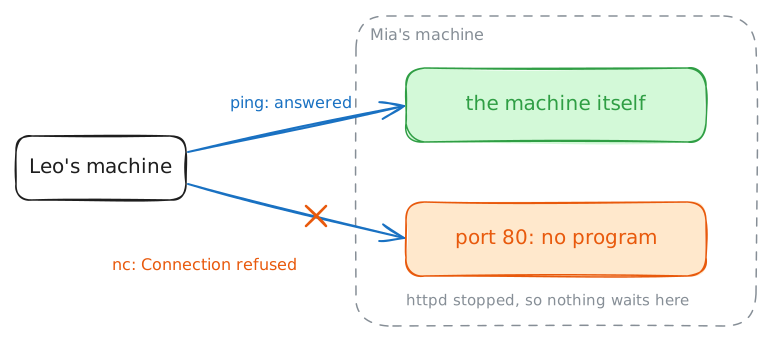
People say "the server is down" about several problems. The machine may have stopped, or only the program on it, or something between you and it. Each one needs a different fix, so first find out which it is.
You are about to stop the program on the lab's machine, on purpose.
pkillstops every program with that word in its name, and the machine stays on. Thenpingsends a small message to the machine and times the answer.Make your guess, then run each row in turn, from the top.
mia:~# pkill httpd
leo:~# ping -c 3 mia
leo:~# nc -vv mia 80
Run these steps on real machines